SMS verification · App in development
How users request a code.
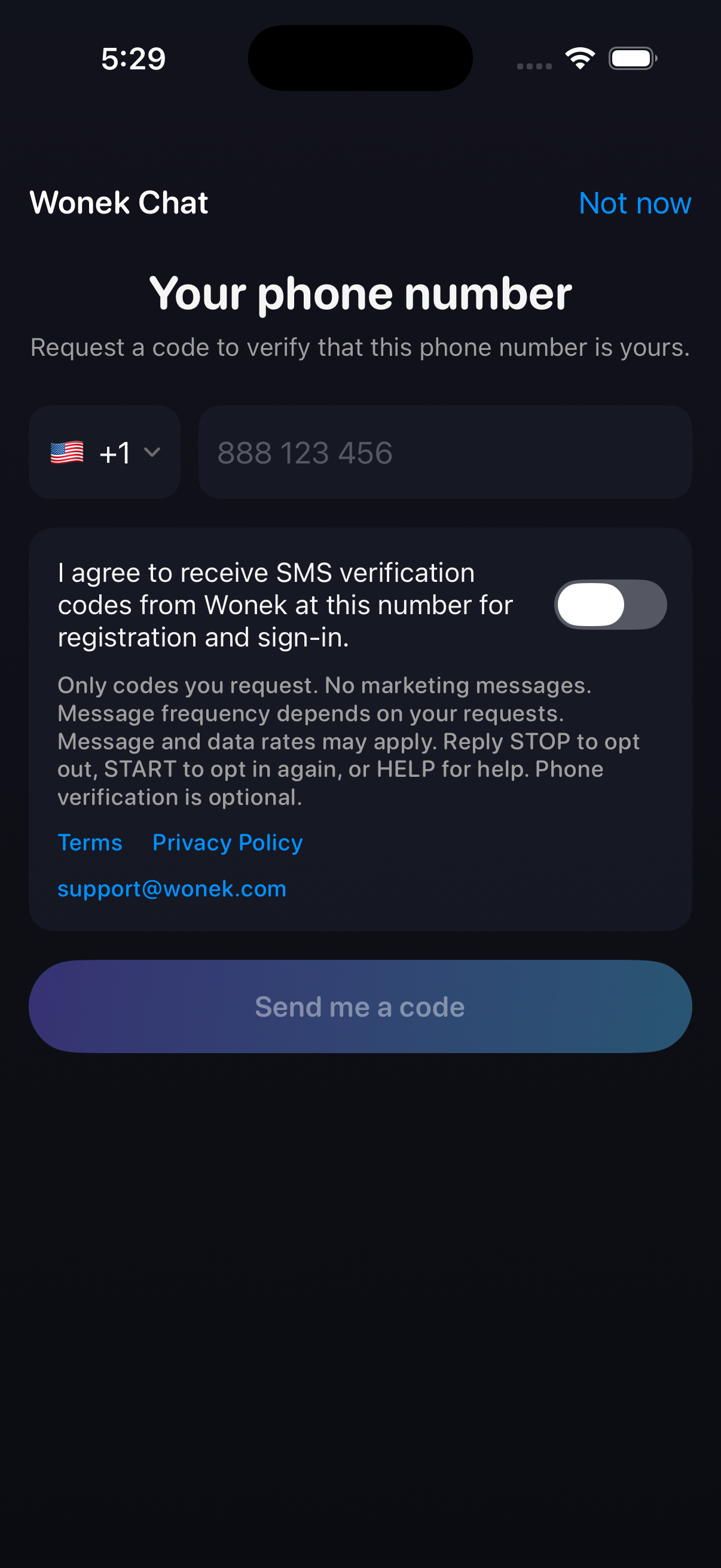
This is a screenshot of the implemented Wonek Chat phone-verification screen, captured from a development build in the iOS simulator. It shows the real app view, not a web registration form. This version is not yet a public App Store release.
- The user opens phone verification from their profile and enters a phone number.
- The SMS consent switch starts off. The user reads the disclosure and can open the Terms and Privacy Policy.
- The user explicitly enables SMS consent, then taps “Send me a code”. The button is disabled without consent or a sufficiently complete phone number.
- Changing the number clears consent. Phone verification is optional; the user can choose “Not now”.
Consent covers requested registration and sign-in codes from Wonek, not marketing. Message frequency depends on user requests; message and data rates may apply. STOP, START and HELP instructions and the support email are visible in the app.